ZATCA e-invoicing, handled
Phase 1 QR invoices and Phase 2 (Fatoora) reporting and clearance are built into EasyPOS — with a clear status on every invoice.
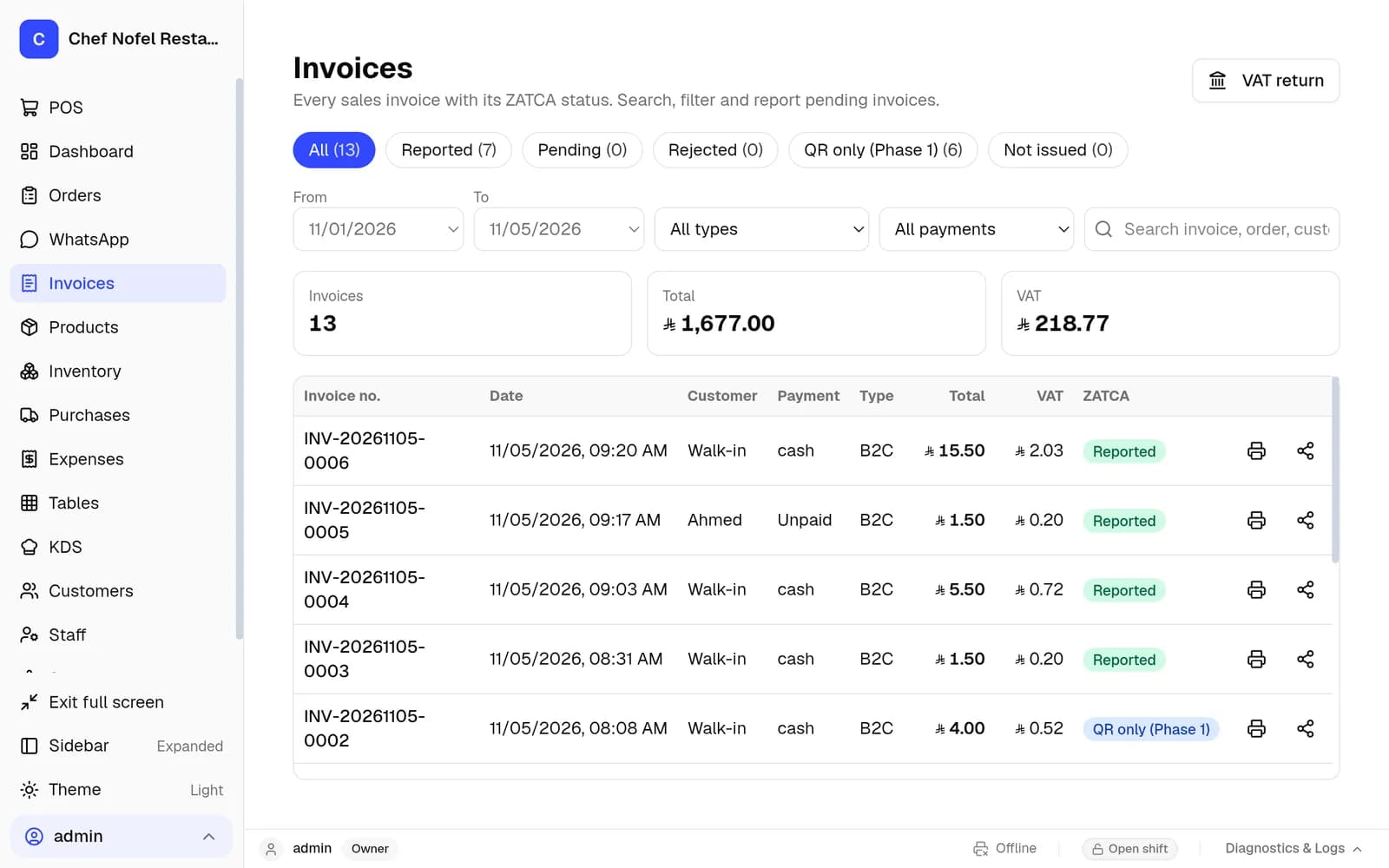
How EasyPOS handles ZATCA
Phase 1 QR invoices
A simplified tax invoice with the required QR code is printed on every sale.
Phase 2 reporting (B2C)
Simplified (B2C) invoices are reported to ZATCA automatically through the Fatoora platform.
Phase 2 clearance (B2B)
Standard (B2B) invoices are cleared before they are handed over to the customer.
Credit notes
Refunds create credit notes, so returns stay correctly documented.
Safe when offline
If the internet is down, invoices are kept and sent automatically when it is back.
Clear status & VAT return
The Invoices screen shows which invoices are reported, pending or need attention, and the VAT return covers any month or quarter.
ZATCA e-invoicing: common questions
Is EasyPOS ZATCA Phase 2 (Fatoora) ready?
Yes — onboarding, B2C reporting, B2B clearance and credit notes are built in.
What happens to invoices when the internet is down?
The device stores everything locally, so you can keep selling. ZATCA invoices waiting to be reported are sent automatically when the connection returns.
Do receipts show the ZATCA QR code?
Yes. Receipts print every label in Arabic and English with the new Riyal sign and the ZATCA QR code.
What do Phase 1 and Phase 2 mean for my shop?
Phase 1 prints a simplified tax invoice with the required QR code on every sale. Phase 2 (Fatoora) connects EasyPOS to ZATCA: B2C invoices are reported automatically, B2B invoices are cleared before they are handed over, and refunds create credit notes.
More from EasyPOS KSA